MacBook Pro Mini-LED vs. OLED Buyer's Guide: Every Difference
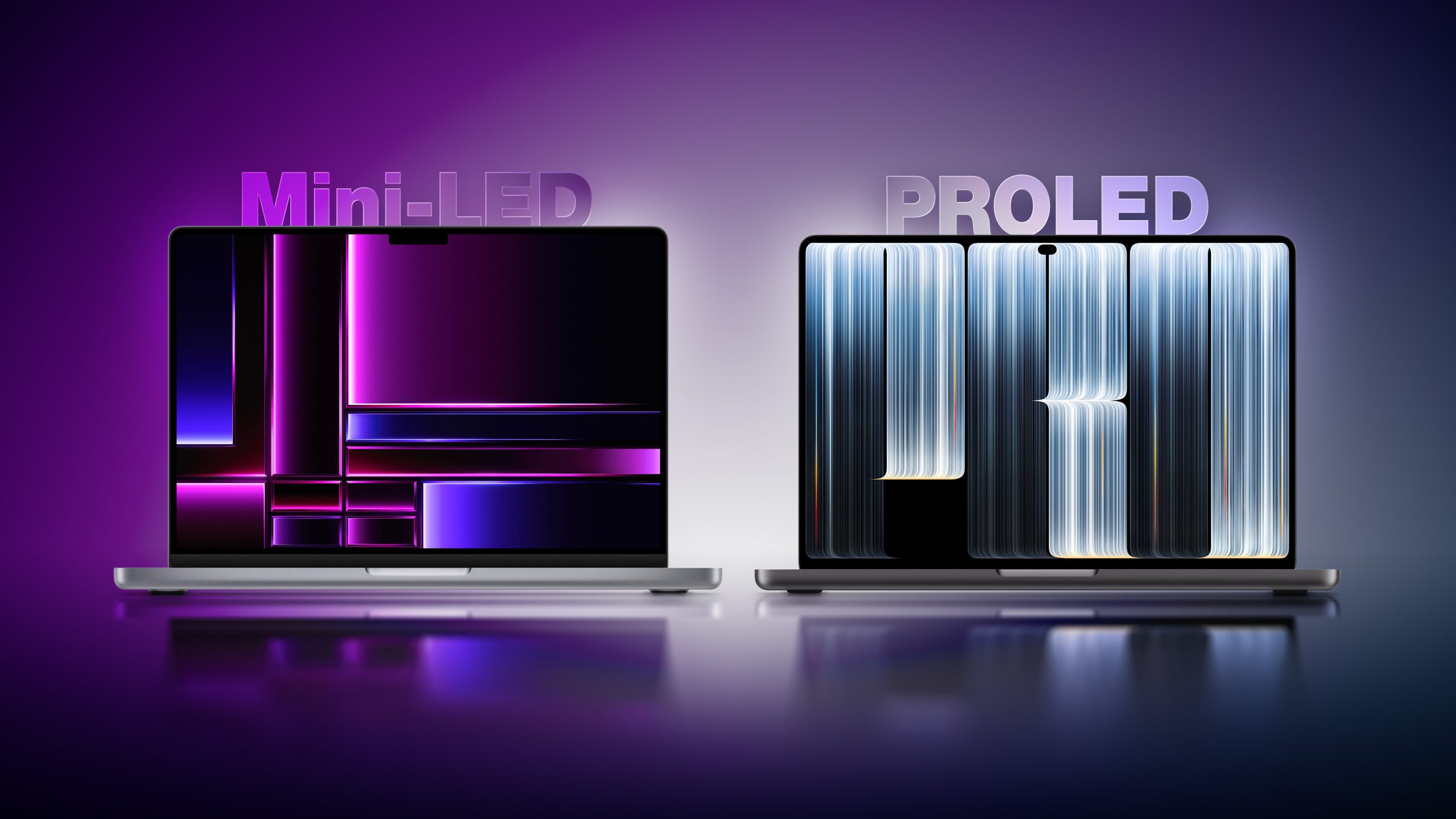
Display Liquid Retina XDR MacBook Pro PROLED XDR MacBook Pro Mini-LED-backlit LCD with local dimming Tandem OLED with two self-illuminating pixel layers Zone-based backlighting Individual pixel illumination Dedicated display engine, compensating for content, temperature, environment, and individual pixel usage over time 1,000,000:1 contrast ratio 10,000,000:1 contrast ratio Up to 1,600 nits peak HDR brightness Up to 2,000 nits peak HDR brightness Up to 1,000 nits outdoor SDR brightness Up to 1,000 nits sustained full-screen SDR brightness and 2,000 nits peak outdoor SDR brightness P3 wide color gamut P3 and Adobe RGB wide color gamuts 14-inch: 14.2-inch display, 3024 × 1964 resolution 14-inch: 14.2-inch display, 3024 × 1986 resolution 16-inch: 16.2-inch display, 3456 × 2234 resolution 16-inch: 16.3-inch display, 3472 × 2266 resolution Wider display borders and camera notch Slimmer display borders and smaller camera cutout with Dynamic Island Rounded top display corners and square bottom corners Rounded display corners at all four corners Standard display or optional nano-texture display Antireflective coating, fingerprint-resistant oleophobic coating, and optional nano-texture cover glass Multi-Touch sensor integrated directly into the display panel, rather than layered on top, to reduce latency and bulk Reference Modes and Color Workflows Liquid Retina XDR MacBook Pro PROLED XDR MacBook Pro Apple XDR Display (P3-1600 nits) Apple XDR Display (P3-2000 nits) Apple XDR Display (P3 + Adobe RGB-2000 nits) Design and Print (P3-D50) Design and Print (P3-D50) and Design and Print (Adobe RGB-D50) Photography (P3-D65) Photography (P3-D65) and Photography (Adobe RGB-D65) HDR Photography (P3-D65) Medical Imaging (DICOM-350 nits), for nondiagnostic review, research, and education Medical Imaging (DICOM-600 nits), for nondiagnostic review, research, and education Apple Color Matching Function (CMF) 2026 for visual consistency with iPhone 18 Pro and Studio Display XDR Design and Dimensions Liquid Retina XDR PROLED XDR Reduction 14-inch height 1.55 cm 1.50 cm 3.2% 14-inch width 31.26 cm 31.08 cm 0.6% 14-inch depth 22.12 cm 21.63 cm 2.2% 14-inch M5 Pro weight 1.60 kg 1.38 kg 13.8% 14-inch M5 Max weight 1.62 kg 1.40 kg 13.6% 16-inch height 1.68 cm 1.60 cm 4.8% 16-inch width 35.57 cm 35.55 cm 0.1% 16-inch depth 24.81 cm 24.42 cm 1.6% 16-inch M5 Pro weight 2.14 kg 1.82 kg 15.0% 16-inch M5 Max weight 2.15 kg 1.84 kg 14.4% Liquid Retina XDR MacBook Pro PROLED XDR MacBook Pro Previous standard hinge design Redesigned hinge for greater stability during touchscreen use Previous standard thermal architecture Redesigned thermal architecture redirects warm air away from the display; Apple says sustained M5 Pro and M5 Max performance is maintained Non-illuminated rear Apple logo Illuminated rear Apple logo Audio and Camera Liquid Retina XDR MacBook Pro PROLED XDR MacBook Pro Previous force-cancelling woofer design Redesigned woofers deliver 50% deeper bass Previous tweeter design Redesigned tweeters shape sound dispersion to improve clarity Dedicated audio tuning for closed-lid use with an external display 12MP Center Stage camera with computational video 12MP Center Stage camera with computational video and advanced video stabilization to reduce camera-feed shake during touchscreen use Storage, External Displays, and Power Liquid Retina XDR MacBook Pro PROLED XDR MacBook Pro M5 Max storage: 2TB, 4TB, or 8TB M5 Max storage: 2TB, 4TB, 8TB, or 16TB M5 Pro: three external 4K displays at up to 144Hz M5 Pro: three external 4K displays at up to 165Hz M5 Max: four external 4K displays at up to 144Hz M5 Max: four external 4K displays at up to 165Hz Genlock synchronizes display refresh with camera capture 14-inch battery capacity: 72.4Wh 14-inch battery capacity: 72.6Wh 16-inch M5 Max: 70W minimum recommended charging 16-inch M5 Max: 94W minimum recommended charging Touch and Dynamic Island Liquid Retina XDR MacBook Pro PROLED XDR MacBook Pro Keyboard, trackpad, and pointer input Keyboard, trackpad, pointer, and direct onscreen Multi-Touch input Scrolling, zooming, and dragging through the trackpad or other input devices Additional direct onscreen swiping, pinch-to-zoom, and drag-and-drop gestures Window controls operated through the keyboard, trackpad, or pointer Additional touch gestures, including double-tapping a window to fill the screen and flicking to tile it macOS translates onscreen touches into clicks for existing applications Touch-specific interactions through updated gesture APIs Camera "notch" Dynamic Island for Live Activities and controls, including music playback, phone calls, AirDrop requests, and more Spotlight Spotlight moves into Dynamic Island when Siri AI is available and enabled Accessibility controls Additional listed AssistiveTouch and Touch Accommodations features Environmental Differences Liquid Retina XDR MacBook Pro PROLED XDR MacBook Pro 45% recycled content 55% recycled content 50% renewable manufacturing electricity 45% renewable manufacturing electricity 100% recycled tantalum in multiple capacitors, a first for Apple Pricing and Availability Liquid Retina XDR PROLED XDR 14-inch M5 Pro $2,499 $2,899 16-inch M5 Pro $2,999 $3,399 14-inch M5 Max $4,099 $4,499 16-inch M5 Max $4,399 $4,799 Launch date March 11, 2026 November 6, 2026 Is It Worth Upgrading?
Which Should You Buy?