GitHub Universe Adds Automations, Projects, Dreaming
Beyond Fusion, GitHub Universe shipped Automations, goal-based Projects, Dreaming for memories, and a Security canvas in the Copilot app.
Copilot Fusion was the loudest GitHub Universe headline, but it was not the only one. The same day brought a set of features about fitting agents into day-to-day delivery: schedulable Automations, goal-based Projects across repos, Dreaming that curates memory in the background, and a Security canvas for code-scanning alerts inside the Copilot app.
Automations: cloud workflows that learn from outcomes
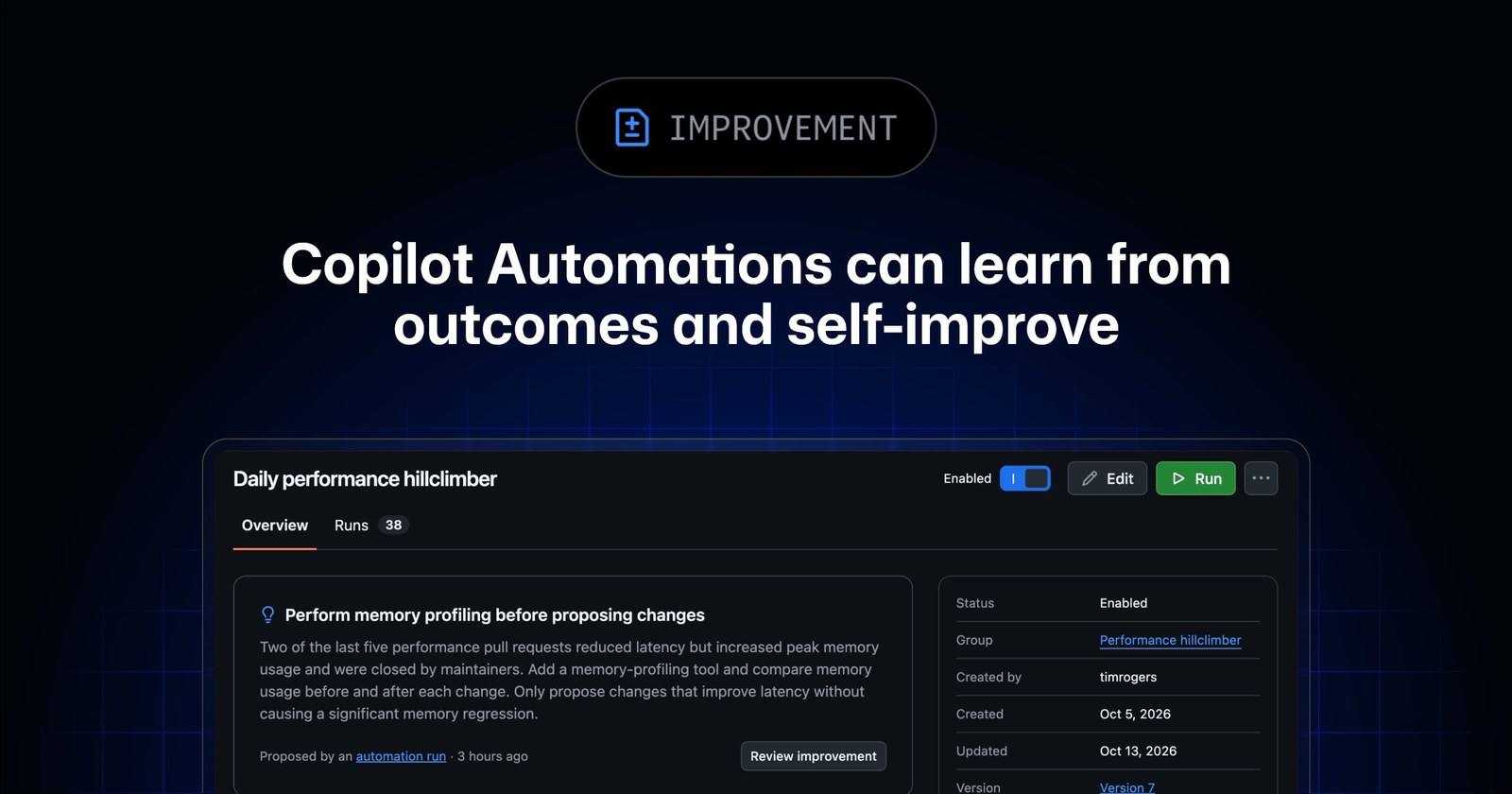
Copilot Automations are AI-powered workflows in a repository. You can run them by hand, on events, or on a schedule—hourly, daily, or weekly. Typical jobs include issue triage and code review. The Universe-timed update stresses self-improvement: automations can read real signals—whether people change the labels they applied, accept review comments, or merge the pull requests they opened—and propose prompt, tool, or trigger changes for you to approve. GitHub also describes groups of automations that work together, such as a reviewer plus a weekly improver.
Automations are available on Copilot Pro, Pro+, Max, Business, and Enterprise. VS Code can manage cloud automations too, including runs that continue while the machine is off.
Projects, Dreaming, and the Security canvas
Projects (public preview) give the Copilot app a goal-shaped home: parallel managed sessions across repositories, with repos, mocks, Slack threads, and notes in one place. Copilot coordinates in the background and checks in when it needs you. Single-repo tasks can still start as a session; repeatable work can attach project automations.
Dreaming (public preview) runs in the background over eligible sessions and merged pull-request review feedback. It updates memories, proposes changes to repository instructions and skills (usually via pull request), and refreshes internal code-review guidance. It updates context, not the underlying model. Memories can change automatically; checked-in instruction files still wait for a human merge.
Security extension / Security canvas (public preview) brings code-scanning alerts into the Copilot app: browse by severity, ask Copilot to explain or fix locally, dismiss alerts, and run /security-review on current changes. Browsing and dismissing do not spend AI credits; explain, fix, and review use the selected model. GitHub Enterprise Server is not supported.
Keep Fusion in its own lane
Fusion picks and combines models for a task. Automations, Projects, Dreaming, and the Security canvas are about scheduling work, aggregating it, remembering it, and closing the security loop. Separately, GitHub says Enterprise customers can use these Copilot capabilities without a separate Copilot subscription, paying for AI credits—details live on sales and billing pages.
If your team already lives in the Copilot app, the useful first experiments are a weekly triage automation with self-improvement on, and one cross-repo goal in Projects. That will tell you faster than another model leaderboard whether this Universe batch changes the week.